
EO Browser error when uploading KML as AOI

  • April 17, 2024
  • 5 replies
  • 0 views

Hi Everyone,

I may be missing the obvious here but I I hope someone can help me. I have tried loading a KML file as my AOI and I get the following message;
“Error: Unsupported GeoJSON geometry type! Only Polygon and MultiPolygon are supported.”

The kml is a polygon created in QGIS. The only difference to other kml files I have been using successfully is that this one has holes cut out to mask off built up areas. I am wondering if it is these holes that are causing the problem.

Has anyone got any ideas?

Thanks

Adrian
5 replies

Hi Adrian,

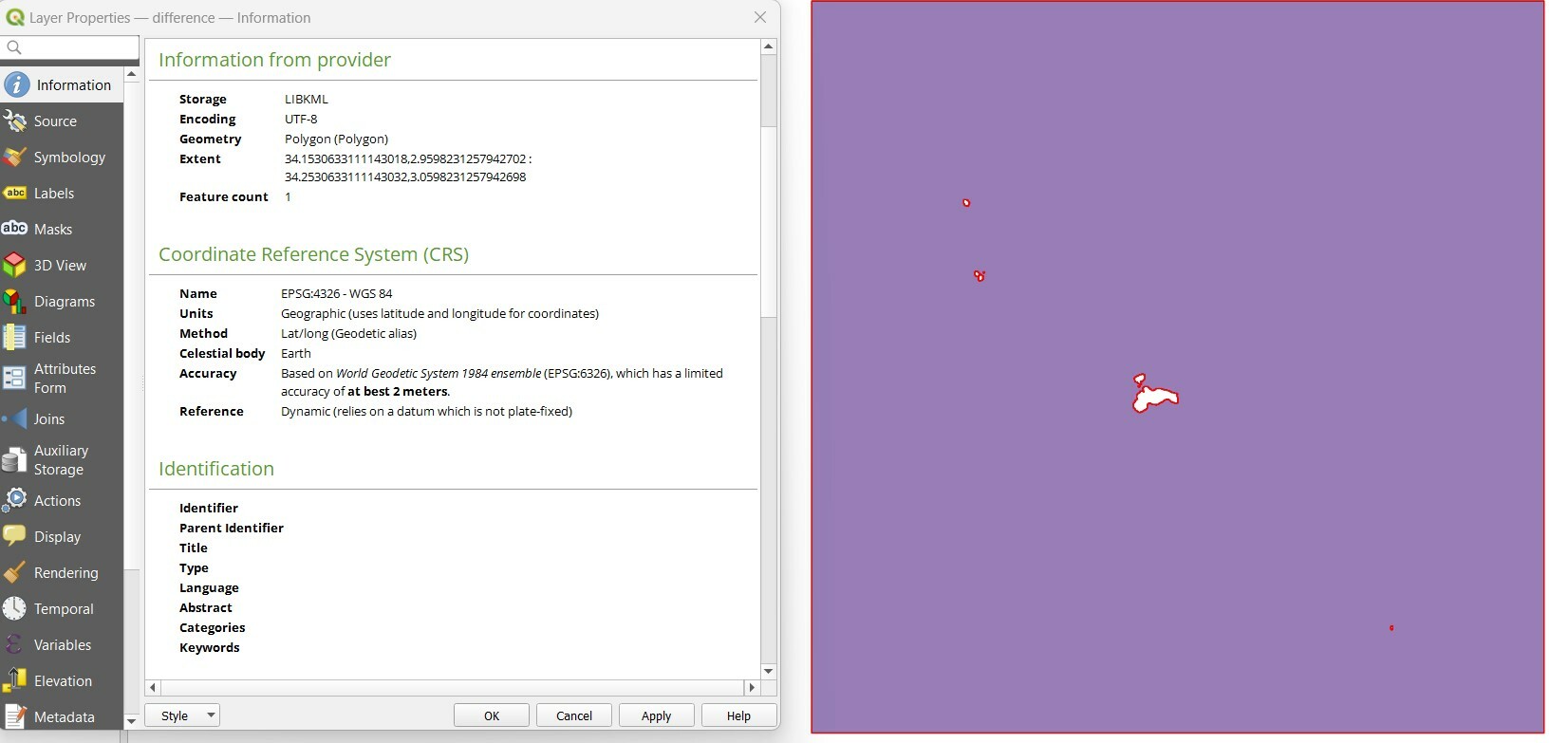
Can you please provide a screenshot of the polygon that you are using please. In addition, can you check the projection is in WGS84.

I have just tested uploading a KML geometry with a hole cut out within it and it worked fine so was not able to replicate your error.

Thanks!


Thank you for the screenshot, I have also tested multiple hole cuts and it still imports into EO Browser fine. How complex are the geometries of your urban area cuts?


Hi,

As you can see it is in EPSG:4326 WGS84.


This topic was automatically closed 60 days after the last reply. New replies are no longer allowed.


A colleague has suggested extracting the WKT and pasting the text into the browser. I have tried that and it works fine. I would still like to understand why the kml doesn’t work though.