
No available images on CRS change

  • April 17, 2024
  • 7 replies
  • 0 views

I have been following this example:
https://eo-learn.readthedocs.io/en/latest/examples/io/SentinelHubIO.html
It works fine but when I change the line
roi_bbox = BBox(bbox=[5.60, 52.68, 5.75, 52.63], crs=CRS.WGS84)
to
roi_bbox = BBox(bbox=[1475000.0, 5100000.0, 1495000.0, 5120000.0], crs=CRS(‘2193’))

there are no available images found. My guess is that CRS(‘2193’) which is NZGD2000 / New Zealand Transverse Mercator 2000 is not compatible.
Although on this page https://docs.sentinel-hub.com/api/latest/api/process/crs/ its listed in the ‘other’ section. Can I not use this CRS format?

The error message I get is:
ValueError: During execution of task SentinelHubInputTask: No available images for requested time range: (datetime.datetime(2018, 4, 1, 0, 0), datetime.datetime(2018, 5, 1, 23, 59, 59))
7 replies

Thanks for your response maleksandrov.
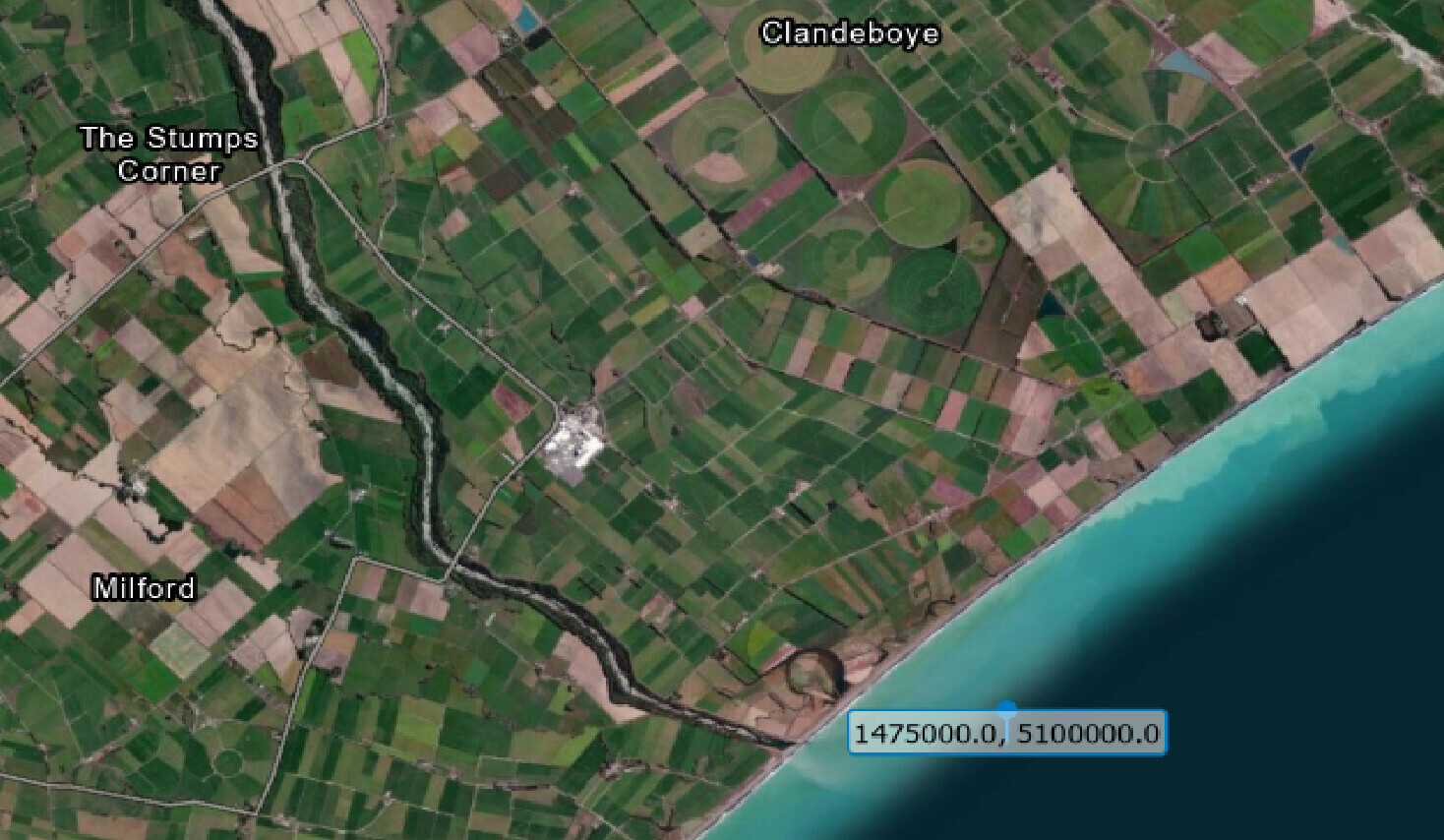
I am getting confused here, I see what you are saying, it does drop the WGS84 coordinates into the ocean - well away from the original location. But is there something wrong with the conversion as the original coordinates are just off the coast of New Zealand. See image


  • Known Participant
  • April 17, 2024

Hi @Tim,

If I transform your bounding box back to WGS84 I get:

BBox(bbox=[1475000.0, 5100000.0, 1495000.0, 5120000.0], crs=CRS('2193')).transform(CRS.WGS84)

> BBox(((-118.79345083627057, -57.54181875157152), (-118.65579881368123, -57.3346324139308)), crs=CRS('4326'))

This location is somewhere in the south Pacific ocean and there are no images available for the location. Are you sure you have correct coordinates?


  • Known Participant
  • April 17, 2024

You are right, this is indeed weird. I checked your coordinates in QGIS and got the same location as you.

The implementation of BBox.transform in the background uses pyproj package. Here is the code that does a transformation using only pyproj:

import pyproj

POINT = 1475000.0, 5100000.0

transformer = pyproj.Transformer.from_crs(
    crs_from=pyproj.CRS(2193),
    crs_to=pyproj.CRS(4326)
)

transformer.transform(*POINT)

> (-57.54181875157152, -118.65579881368123)

or even

import pyproj

POINT = 1475000.0, 5100000.0

transformer = pyproj.Transformer.from_proj(
    proj_from=pyproj.Proj(2193),
    proj_to=pyproj.Proj(4326)
)

transformer.transform(*POINT)

> (-57.54181875157152, -118.65579881368123)

This produces the same wrong result (BBox.transform just makes sure to use lng-lat order instead of the default lat-lng). I tried running this code with the latest pyproj version 3.1.0 and an older 2.2.0 version and in both cases got the same result.

Hence, pyproj has a wrong/different interpretation of some less common CRS. I can even confirm we recently noticed a similar pyproj issue with a different CRS (EPSG:3346). Probably it is worth opening an issue at pyproj repository.


Further to this, if I use this website

favicon.icoepsg.io

Transform coordinates - GPS online convertor

Transform your coordinates online easily with epsg.io

the original coordinates transform to 171.434508, -44.2425095 (not -118.79345083627057, -57.54181875157152). Is there something wrong with the BBox.transform?


Ok great. Thanks a lot for your help maleksandrov.


  • Known Participant
  • April 17, 2024

I investigated the issue further and it seems that is actually this issue. Adding the parameter always_xy=True to transformer initialization solves the problem and correctly transforms coordinates to

171.43450807766266, -44.242509416017654

Therefore, it seems that we have to start using this parameter also in sentinelhub-py. This will be fixed in the next release.


  • Known Participant
  • April 17, 2024

The fix for this has just been released in the new sentinelhub-py version 3.3.2.

In sentinelhub-py transformation methods and functions we now have an optional always_xy which is by default set to True but users can change that. The default option seems to work correctly for all our use cases.