
SentinelHub configuration in google colab

  • April 17, 2024
  • 8 replies
  • 0 views

I set up the configuration in google colab the same way I did in Jupyter Notebooks.

!sentinelhub.config --instance_id " "
!sentinelhub.config --sh_client_id " "
!sentinelhub.config --sh_client_secret " "
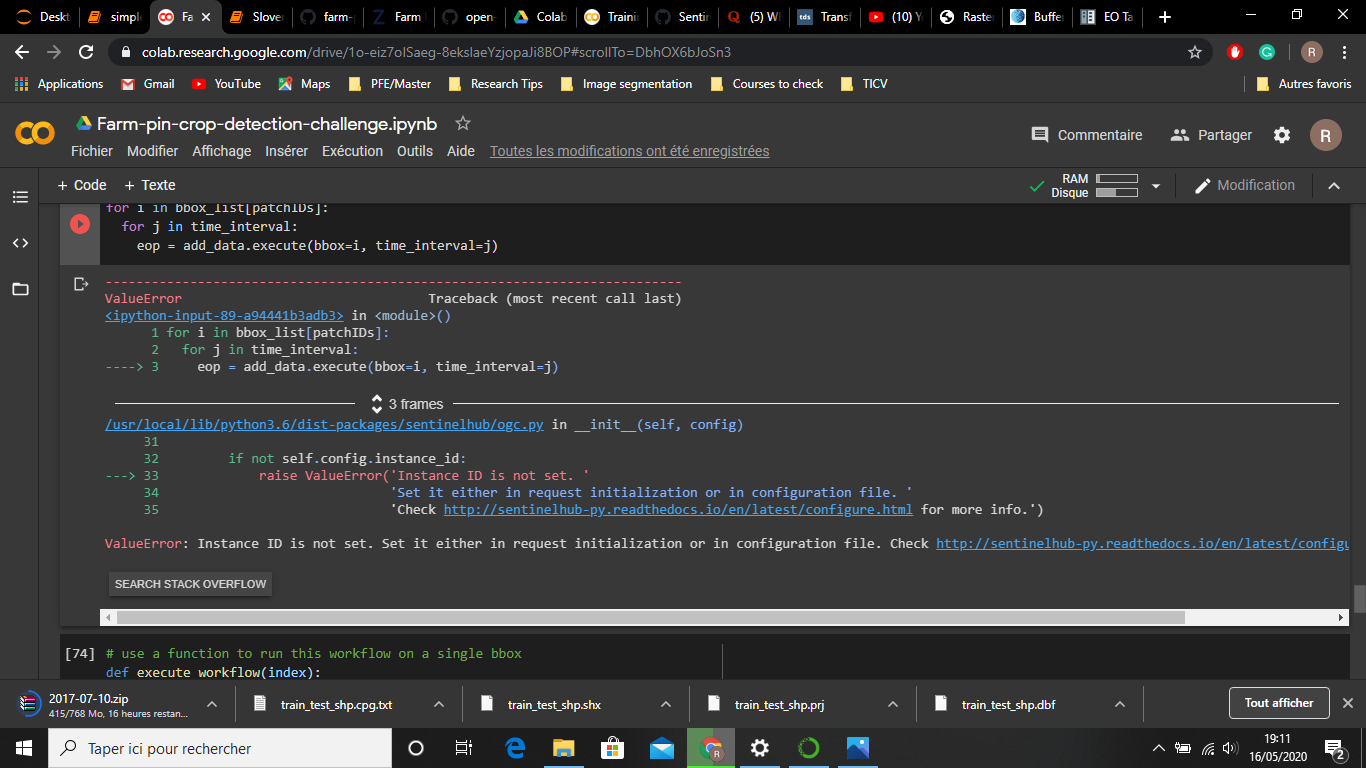
Yet when trying to download data I got the following error:
8 replies

I suggest you set up the config before executing any other code.
If you have run any other code before setting up the config, the “empty” config might have gotten cached and used consequently.


No, I did post the empty strings in order to not expose my credentials. I made sure that instance and the rest of my credentials are valid.


Oh. You actually used the code you have posted? I thought you have used empty strings in order to not expose you credentials.

In that case you have - as the error says - not provided the instance ID.


The only code I executed before the setting up the configuration is mounting the drive and that’s it .


yes I made sure that the instance ID is set correctly


The error is explicit: “Instance ID is not set.”

Try running

!sentinelhub.config --show

and make sure the appropriate values are set.


No problem.
I’ll check the workshop.


I am sorry I cannot help you more. The error states it is not set.

I’ve never used eo-learn in google colab, but we’ve successfully run eo-learn workshop on binder.